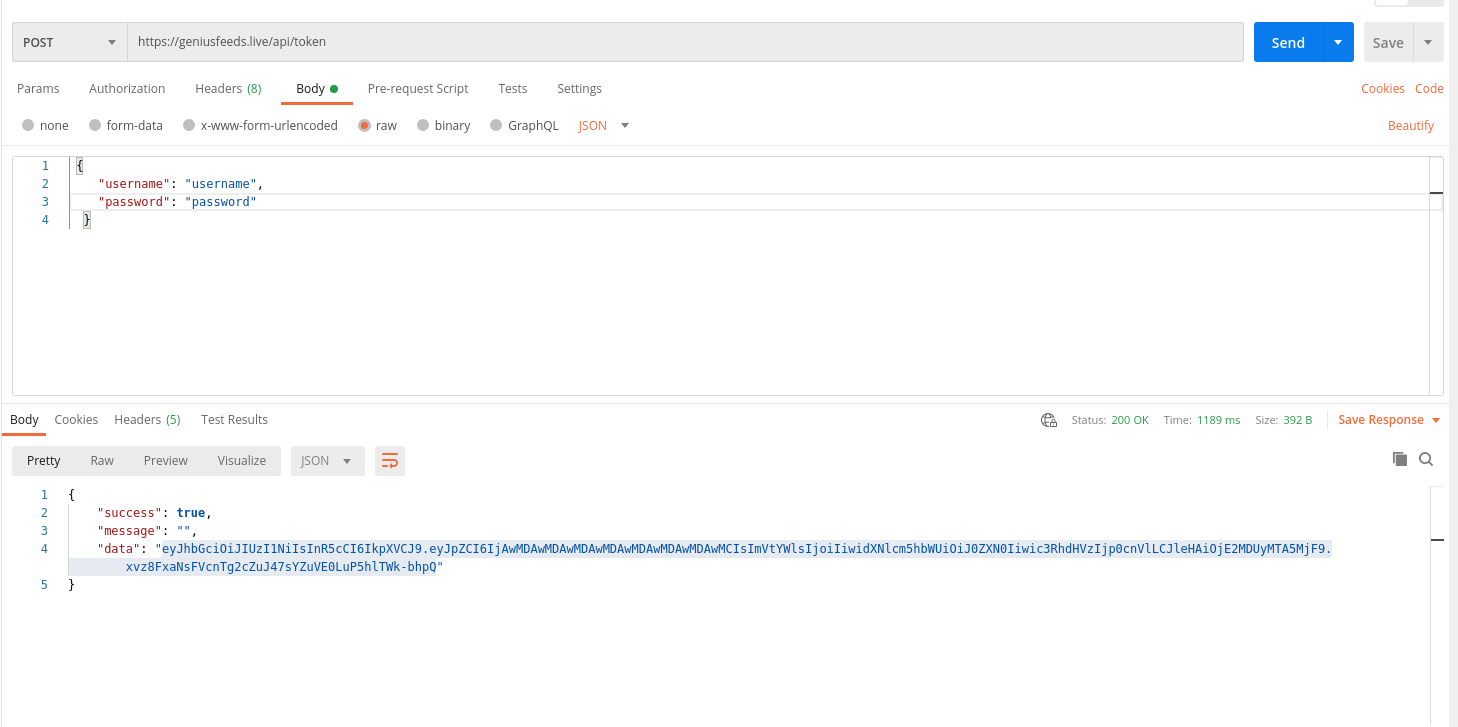
Generate Token (Updated: 10.June.2021)
Prerequisites & Basic Infos:
- You need to give us your STATIC ip to whitelist in our servers. You can NOT get response if your IP's are NOT whitelisted
- You need to provide us endpoint for POST prelive updates to you
- On default we POST you updated parts gzip format on every min.
- We allow you to get all data every 30 min, we send you a signal(status: ready)if you need to get full data you can get that and continue following POSTS
- There is a rate limit which is 2 query per 1 hour. If you exceed this you will get 429 error.
- Tokens expires every 5 min. So you can NOT use same token after 5 min.
- Please either add "not validate SSL" or not add "SSL validation" to your codes in services between us for not to get error in case out renewing ssl times
You can use this token ONLY for PRELIVE service. Inplay(live)feeds token and dictionaries tokens are different.
Token:
Generate a token from via POST request to BODY via JSON(not text) format with your account credentials
url:https://geniusfeeds.live/v2/api/token/
username: yourusername
password: yourpassword
After you get token you will use that to connect our dictionary services. You need to add this token on your next querries on
PlaceHeaders
Key:Authorization
ValueYourToken
Token:
Generate a token from via POST request to BODY via JSON(not text) format with your account credentials
url:https://geniusfeeds.live/v2/api/token/
username:
yourusername password:
yourpassword After you get token you will use that to connect our dictionary services. You need to add this token on your next querries on
PlaceHeaders Key:
Authorization
ValueYourToken
Request: POST
| Parameter | Type | Position | # | Description |
|---|---|---|---|---|
| username | string |
Body |
Required |
Your username geniusfeeds assigned you. |
| password | string |
Body |
Required |
Your username geniusfeeds assigned you. |
Response
{
    "status": true,
    "message": "",
    "data": "alscoi042pkalsmdlKSAkdKFNSyuBS3weeasdcknwıu234nNSAdklasdyYSdSDASDWd324qwd2342qwe32423eda"
    }
}
Get Token