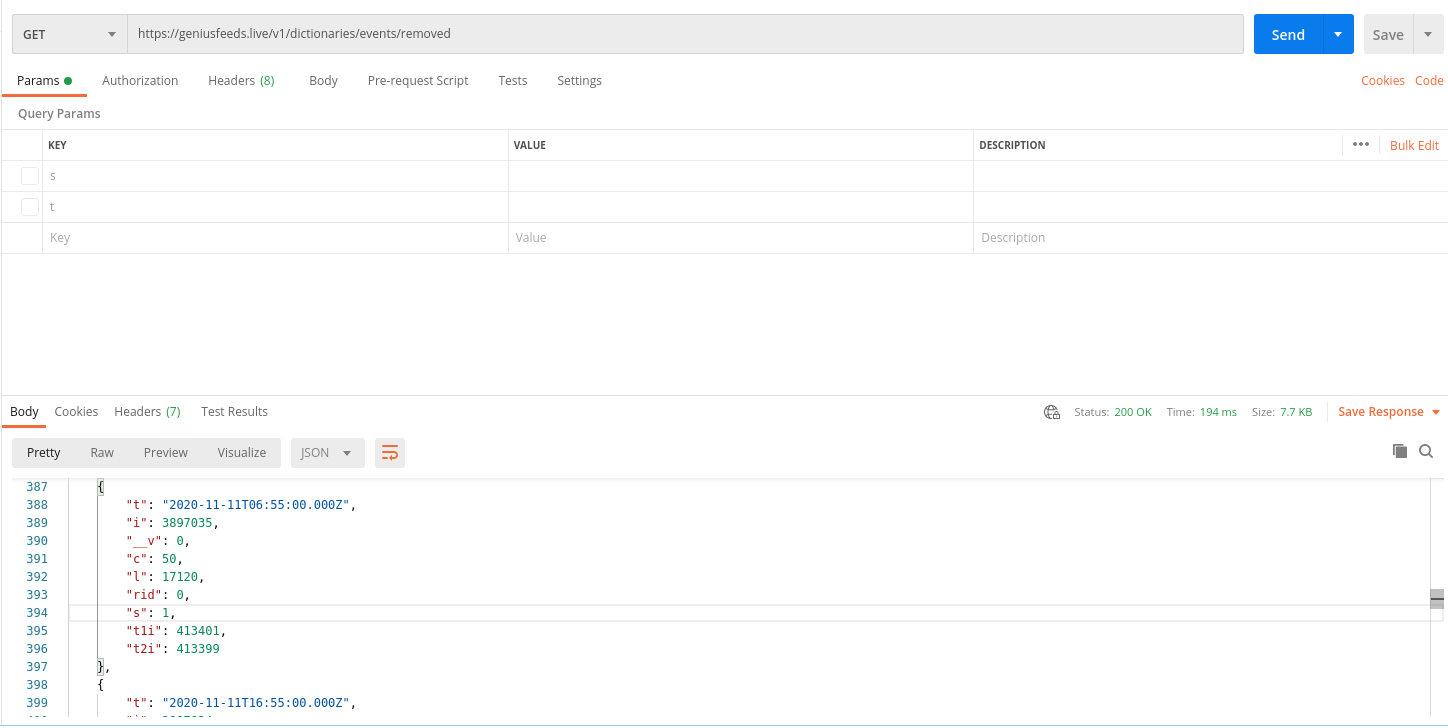
Removed Events Dictionary(For Prelive) Added: (12.Nov.2020)
You need token(which expires in 5 min) which you get from step 1,
and also add that token to your query explained in
Generate Token
Then you can send GET request with 1 optional parameters
t URL:
https://services.geniusfeeds.live/v2/dictionaries/events/removed
Example:
https://services.geniusfeeds.live/v2/dictionaries/events/removed
(Get sport of id=1)
https://services.geniusfeeds.live/v2/dictionaries/events/removed/1
When you register to our
webhook service we will inform
you if there is change in sports dictionary.
Optional Filters: (Parameters)
-
"t" You can select data newer than your filter date: Format
either yyyy-mm-ddThh:mm:ss(ex 2018-02-24T06:44:16) Or Unix
Timestamp
-
"s" by Sport Id of Removed Events exp:
https://services.geniusfeeds.live/v2/dictionaries/events/removed?s=1
Explanations
| Parameter | Description |
|---|---|
| t | Updated or Inserted Time |
| s | Sport Id |
| i | Event Id |
| c | Country Id |
| l | League Id |
| t1i | Team 1 Id |
| t2i | Team 2 Id |
| rid | Replaced(Previous) Id |
Response
[
	{
	"t": "2020-11-11T06:55:00.000Z",
	"i": 3897035,
	"__v": 0,
	"c": 50,
	"l": 17120,
	"rid": 0,
	"s": 1,
	"t1i": 413401,
	"t2i": 413399
										},
]
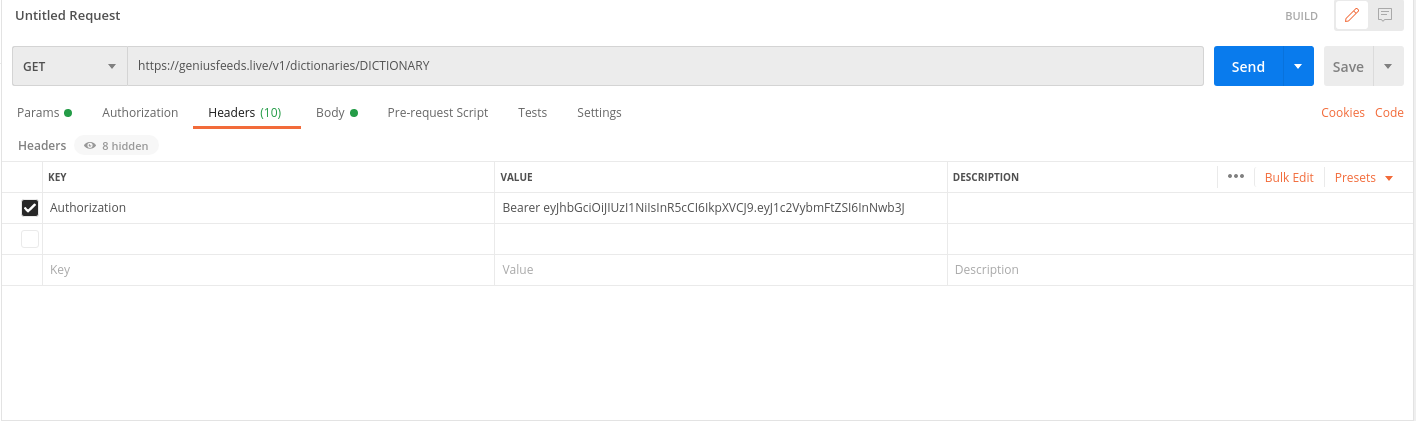
Postman Token Adding(Bearer+" "+YourToken)
Example:(change Dictionary service in URL)
Postman Example:(Check Optional Parametres)